AI agents tools should be chosen by the operating layer your workflow is missing—not from a flat “best tools” list. Start with the consequence of the work, the systems an agent must touch, the approval owner, expected volume, and the recovery requirement; then decide whether you need deterministic automation, a builder, an orchestration runtime, an integration surface, or an enterprise platform.
AI Agents Tools: 2026 Comparison
Explore ai agents tools: compare workflow fit, costs, risks, evidence, and practical next steps before you build, buy, or hire.

Table of Contents
- What Most Guides Miss About AI Agents Tools
- Compare Layers, Not Logos
- When an Agent Is the Wrong Abstraction
- A Worked Pilot: Supplier Invoice Exception Triage
- Production Controls Before Launch
- Community Signals: Useful Questions, Not Market Proof
- Tool-Selection Mistakes That Create Maintenance Pain
- A Short Watchlist, Not a Prediction
- Methodology and Source Notes
What Most Guides Miss About AI Agents Tools
A framework, an MCP server, an observability product, and an enterprise platform are not interchangeable alternatives. They solve different boundaries:
- A deterministic workflow handles known steps and rules.
- An agent builder helps a team prototype a bounded workflow.
- An orchestration runtime manages state, branching, retries, and human pauses.
- A tool or integration layer gives the system controlled access to external systems.
- An enterprise platform may add managed deployment, identity, policy, and governance.
The decision rule is simple: buy the narrowest layer that resolves the workflow’s current constraint. If a fixed API workflow can classify a document and route it to a queue, a multi-agent runtime adds maintenance without solving a real problem. If work must pause for evidence, gather data from several systems, recover from partial failures, and resume under an approval boundary, a plain prompt wrapper is too thin.
This distinction also clarifies the difference between an agent and a broader automation program. Our guide to AI agents vs. agentic AI explains the autonomy question; the practical buying question is whether that autonomy is authorized for this workflow.
Buyer intake before any shortlist
Write down these six inputs before evaluating products:
| Intake question | Why it changes the stack choice |
|---|---|
| What is the business consequence of a wrong action? | High-consequence work needs tighter approval and recovery controls. |
| What may the system do externally? | Reading, drafting, and writing to a system of record require different permissions. |
| Which systems are authoritative? | The agent needs source lineage, not a collection of convenient copies. |
| Who approves exceptions? | A named owner prevents an unattended exception queue. |
| What volume justifies operating the workflow? | Volume determines whether implementation and review overhead are worth carrying. |
| How do we recover from a bad action? | Reversibility should set the autonomy limit. |
For finance, compliance, customer communication, purchasing, publishing, or record updates, technical capability is not authorization. An agent that can take an action should still be constrained by what the business has approved it to do.
Compare Layers, Not Logos
The following matrix uses representative, documented choices. It is not a ranking. Product capabilities and commercial terms change, so confirm current terms directly with the vendor before procurement.
| Layer and representative choice | Boundary it solves | Boundary it does not solve | Operating owner | Integration and exit considerations |
|---|---|---|---|---|
| Plain API workflow | Predictable drafting, extraction, classification, or routing | Long-running ambiguous work with complex recovery | Application or automation owner | Usually portable if prompts, schemas, and tests remain in your codebase |
| OpenAI tools and agent building blocks | Model tool use, function calling, built-in tools, remote MCP, and execution choices | Your business approval policy and end-to-end workflow ownership | Engineering owner | Keep tool contracts and evaluation cases independent of any one model where possible |
| LangGraph | Stateful, long-running orchestration, persistence, human-in-the-loop patterns, and debugging | Managed enterprise governance by itself | Engineering plus workflow owner | Treat graph state and tool interfaces as maintained production assets |
| Model Context Protocol | A standard integration surface between AI applications and external systems | Orchestration, authorization policy, or safe execution by itself | Integration and security owner | Review each server’s scope, authentication, data access, and lifecycle before adoption |
| Google Cloud Agent Builder | A managed environment positioned for building, scaling, governing, and optimizing enterprise agents | A substitute for a well-defined process or acceptance criteria | Platform, security, and business owners | Evaluate identity, audit retention, deployment constraints, and portability with your cloud architecture |
| Observability and evaluation layer | Traceability, replay, failure analysis, and regression checks | Correct source data or a safe action policy | Engineering owner with business reviewer | Require exportable logs and a repeatable evaluation suite |
OpenAI describes production agent work as requiring more than a model call: teams need tools, orchestration, and visibility into behavior. Its agent-building overview supports that category separation. LangGraph similarly presents itself as a lower-level runtime for stateful agents, rather than a universal platform. MCP, meanwhile, is an integration standard—not an agent framework and not a permission model.
The control questions that expose a poor fit
Ask every vendor or framework candidate:
- Can we restrict each tool to the minimum records and actions needed?
- Can the workflow stop for approval, preserve its state, and resume with an attributable decision?
- Can we replay a failed run with the inputs, retrieved sources, tool calls, and outcome?
- Can we test meaningful edge cases before changing a prompt, model, tool, or connector?
- Can an internal owner rotate credentials, update policy, and retire a tool without rebuilding the whole workflow?
- Can we turn off external actions while retaining a safe draft or triage mode?
If the answer to those questions is unclear, the issue is not a missing feature checklist. It is an operating-model gap.
When an Agent Is the Wrong Abstraction
AI agents are useful when contextual judgment is required but outputs can be checked against a clear policy. They are a poor first choice when the process is unstable, inputs are unreliable, the exception path is undefined, or a wrong action is hard to reverse.
A deterministic automation is usually safer when the work is a known transformation: move fields between systems, apply fixed routing rules, generate a report from approved data, or send a notification after a verified event. A workflow builder can be a suitable middle ground when the agent drafts or classifies but a person approves the final action.
For more detailed workflow selection, see agentic AI workflow automation and the broader guide to AI workflow automation tools.
A practical selection path
| Workflow condition | Start with | Reason |
|---|---|---|
| The output is informational and no system is changed | API workflow or internal assistant | Keep the surface narrow and evaluate usefulness first |
| The output is a draft that a team member approves | Low-code builder or bounded custom application | The approval step limits consequence while proving demand |
| Work branches across systems, waits for documents, or must retry safely | Orchestration runtime | State, idempotency, retries, and recovery are first-class requirements |
| Connecting approved systems is the primary blocker | Tool layer or MCP-compatible integration | Solve credentials and least privilege before adding agent complexity |
| Identity, policy, audit, and managed deployment are procurement requirements | Enterprise platform evaluation | Governance requirements can outweigh developer flexibility |
| The process changes frequently or has no stable owner | Do not automate yet | Stabilize the process and accountability first |
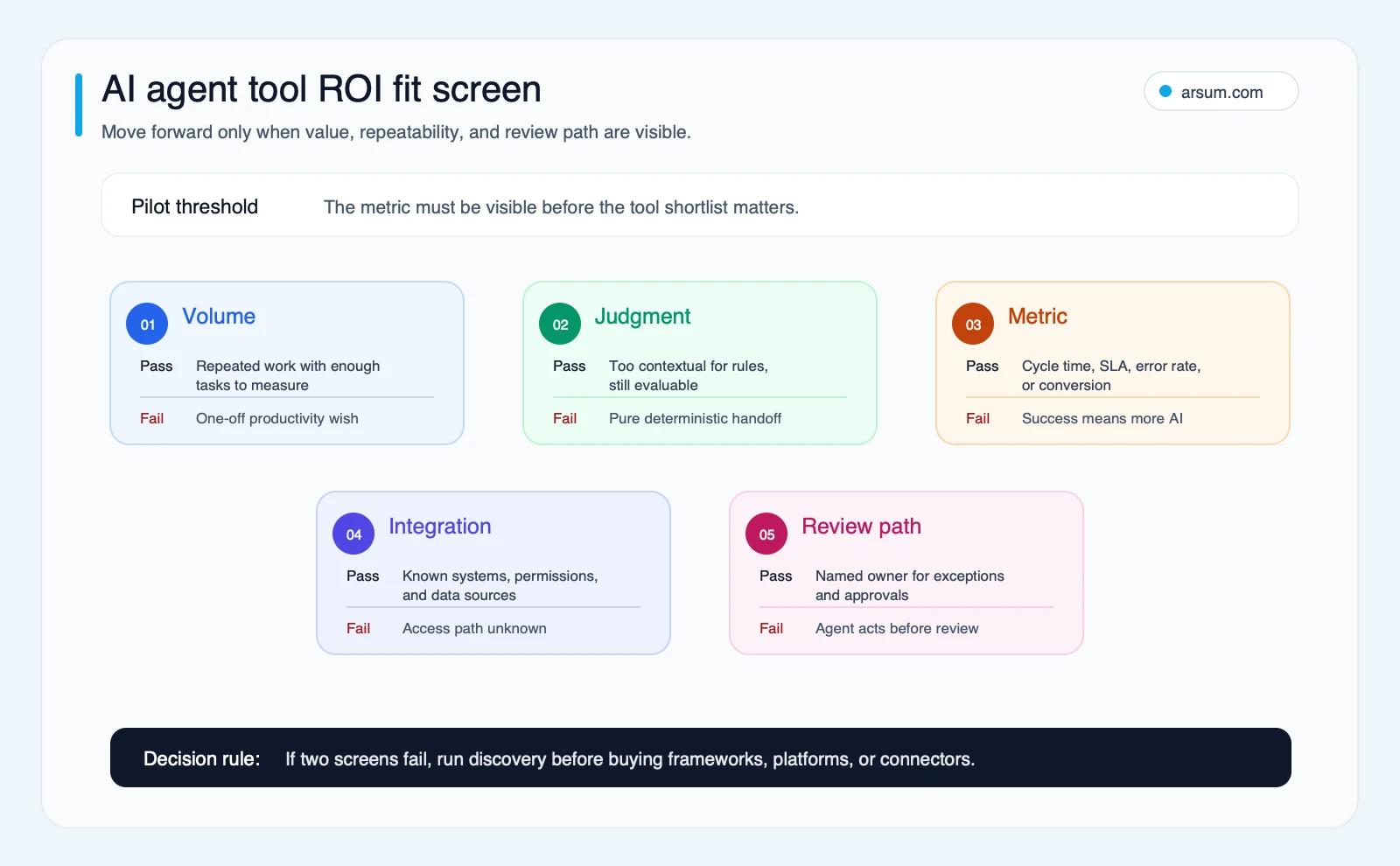
Use the screen as a disqualification test. A workflow should have measurable volume, contextual but bounded judgment, known systems of record, a named reviewer, and a reversible fallback before it earns an agent investment.
A Worked Pilot: Supplier Invoice Exception Triage
Consider a back-office workflow: invoices that fail a matching rule and require a buyer or accounts-payable analyst to investigate. This is consequential enough to require controls, but narrow enough to evaluate.
The agent’s permitted job is to read the invoice, purchase order, receiving record, supplier master data, and documented policy; summarize the discrepancy; and prepare a recommended route. It does not approve payment, alter the ledger, or contact a supplier autonomously.
Illustrative planning assumptions
The following arithmetic is a planning model, not an observed client result:
| Item | Illustrative input |
|---|---|
| Exceptions received per week | 120 |
| Current median handling time | 12 minutes per exception |
| Target analyst handling time after assisted triage | 8 minutes per exception |
| Required human-review rate during pilot | 100% |
| Pilot duration | 4 weeks |
| Named workflow owner | Accounts payable manager |
The baseline is measured from existing queue timestamps and analyst handling records. The target is not “full automation”; it is reducing the preparation burden while retaining human approval.
The pilot scorecard should include:
| Measure | Baseline | Pilot target | Owner | Review cadence |
|---|---|---|---|---|
| Median handling time | Measured before launch | Improvement against the measured baseline | AP manager | Weekly |
| Recommendation quality | No agent baseline | Reviewer accepts, edits, or rejects every recommendation | AP manager | Daily sample plus weekly review |
| Evidence completeness | Current manual record | Every recommendation links to the source records used | Process owner | Weekly |
| Escalation accuracy | Current routing data | Exceptions reach the correct queue under documented rules | AP manager | Weekly |
| Operational burden | Current queue management | Credential, trace, and exception work remains assignable | Technical owner | Weekly |
Failure modes are explicit: missing or conflicting source records, supplier-name ambiguity, stale policy text, duplicate documents, tool timeout, and an agent recommendation that overstates confidence. Each should route to a human queue with the evidence attached.
The stop condition might be: pause the pilot if the system creates an unreviewed record change, if source lineage is unavailable for a recommendation, or if reviewers find a material policy error that the current controls do not catch. The rollback path is simple: disable the write-capable tool, retain read-only triage, and return routing to the existing queue.
Build, buy, or use deterministic automation?
For this example, start with a deterministic baseline: collect the known records, apply fixed matching rules, and generate an exception packet. If the packet removes most analyst effort, do not add an agent layer. If analysts still spend time interpreting conflicting context and drafting a policy-grounded recommendation, test an agent in draft-only mode.
A managed builder can be suitable if its identity, data handling, audit, and integration requirements meet policy. A custom orchestration runtime is more justified when the workflow needs durable state, controlled retries, custom approvals, or integration behavior that a platform cannot safely express. The decision belongs to the workflow owner and technical sponsor together—not to a demo winner.
💡 Arsum builds custom AI automation solutions tailored to your business needs.
Get a Free Consultation →A useful workflow assessment should produce a bounded pilot scope, approval map, evidence requirements, named owner, rollback design, and acceptance scorecard—not just a tool recommendation.
Production Controls Before Launch
The hard part of agent delivery is usually not getting a model to call a tool. It is keeping the workflow understandable when inputs change, a connector fails, or a task crosses an approval boundary.
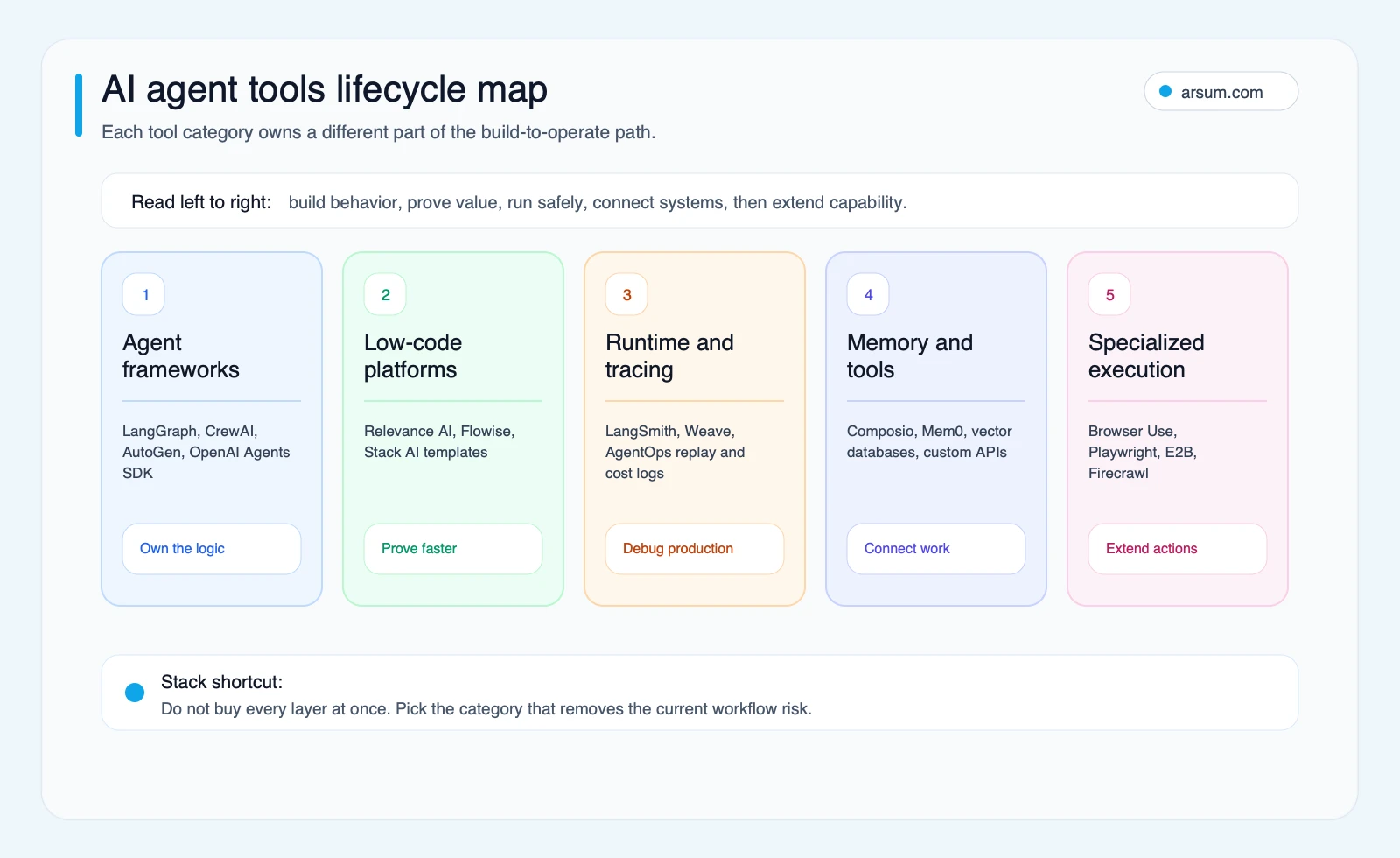
Use the lifecycle map to assign ownership by layer. The business owner defines acceptable outcomes and exceptions; the technical owner manages integration, evaluations, and deployment; security or risk owns access policy; and reviewers own the approval queue.
Minimum production gates
| Gate | Required evidence | Owner |
|---|---|---|
| Evaluation | Representative normal cases, edge cases, rejected actions, and expected outputs | Workflow owner and technical owner |
| Permissions | Tool inventory, approved scopes, credential ownership, and write restrictions | Security and technical owner |
| Review | Draft, approve, escalate, and auto-complete boundaries | Business owner |
| Observability | Trace retention, error classification, replay path, and alert routing | Technical owner |
| Recovery | Idempotency approach, retry limits, manual fallback, and rollback switch | Technical and workflow owners |
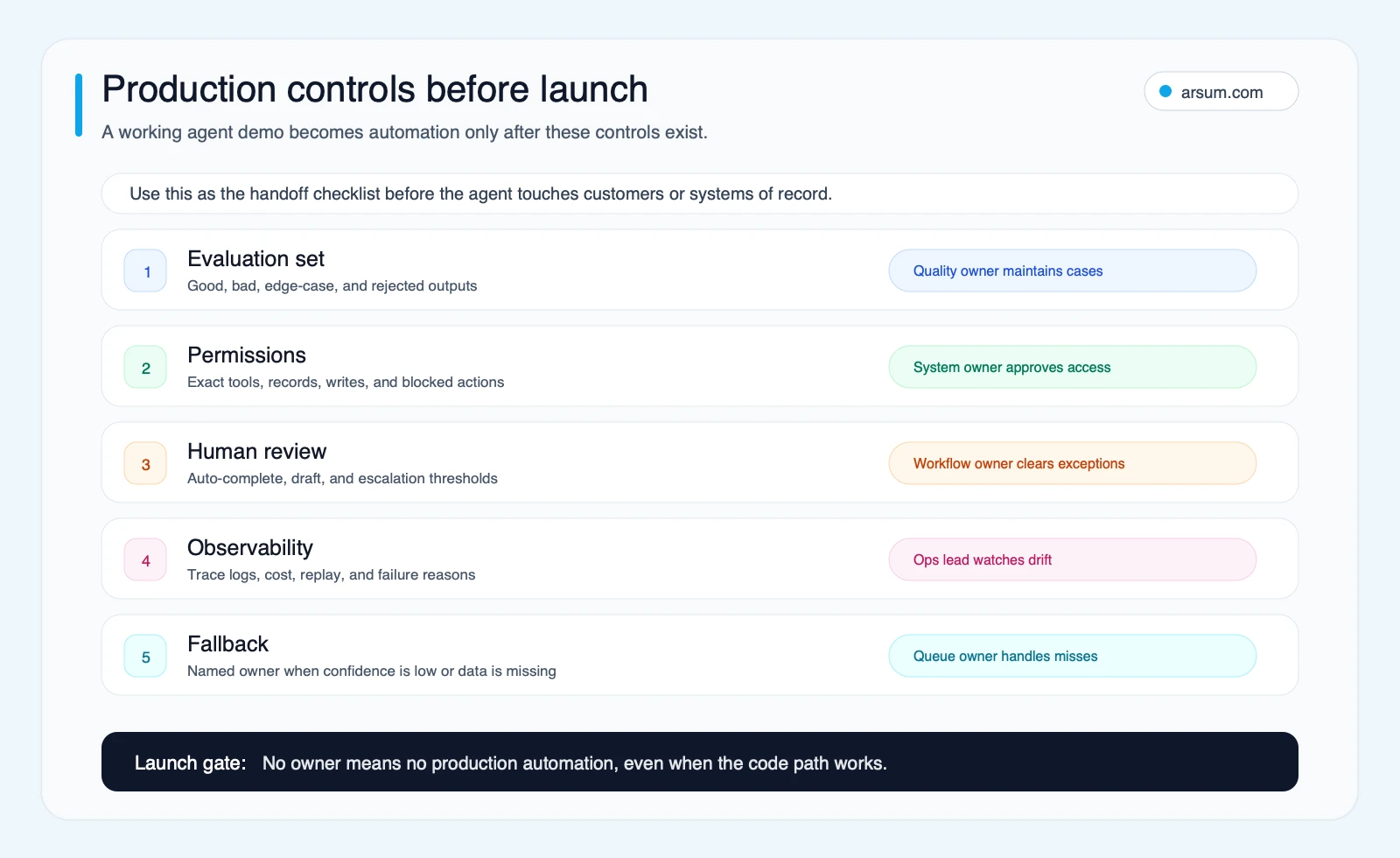
A production-ready agent should default to the least autonomy that still produces value. Higher failure cost and lower reversibility should reduce autonomy, not increase it.
Community Signals: Useful Questions, Not Market Proof
Practitioner discussion is useful for discovering implementation questions, but it is not a substitute for an evaluation. A Reddit search snippet reviewed on June 19, 2026 described uncertainty about tools for debugging, monitoring, and deployment. Another surfaced skepticism about agents getting stuck in loops. A Hacker News question asked for job queues and decision trees in an agent platform.
Those are qualitative signals of a real buyer problem: teams often know how to create a demo before they know who will own its state, tools, traces, and recovery. They do not establish adoption rates, product quality, or typical failure rates.
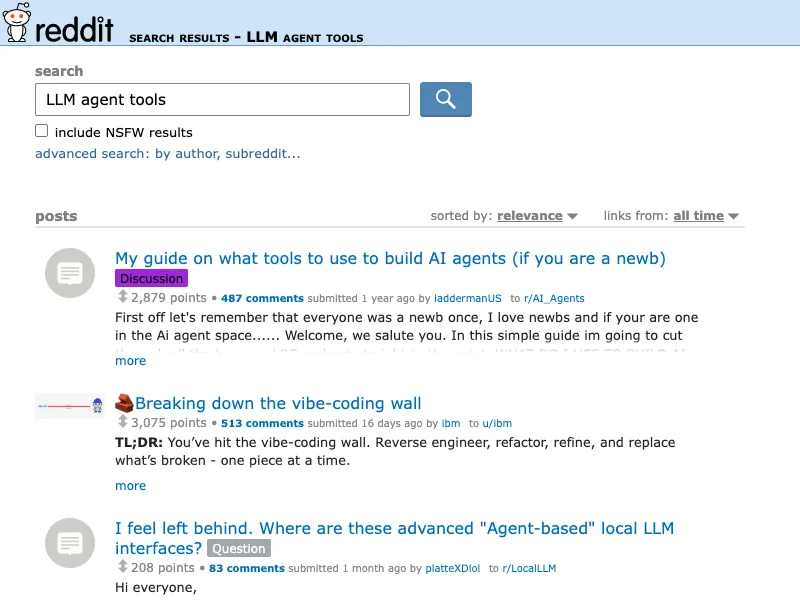
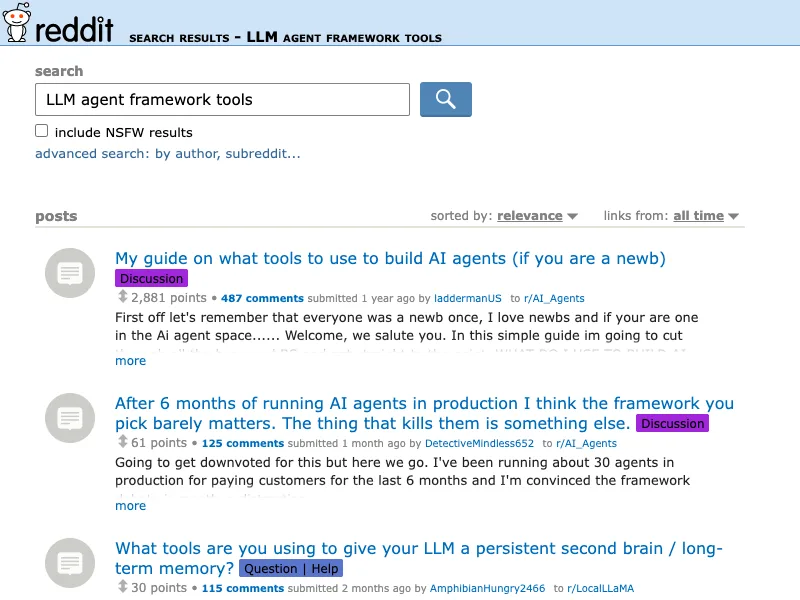
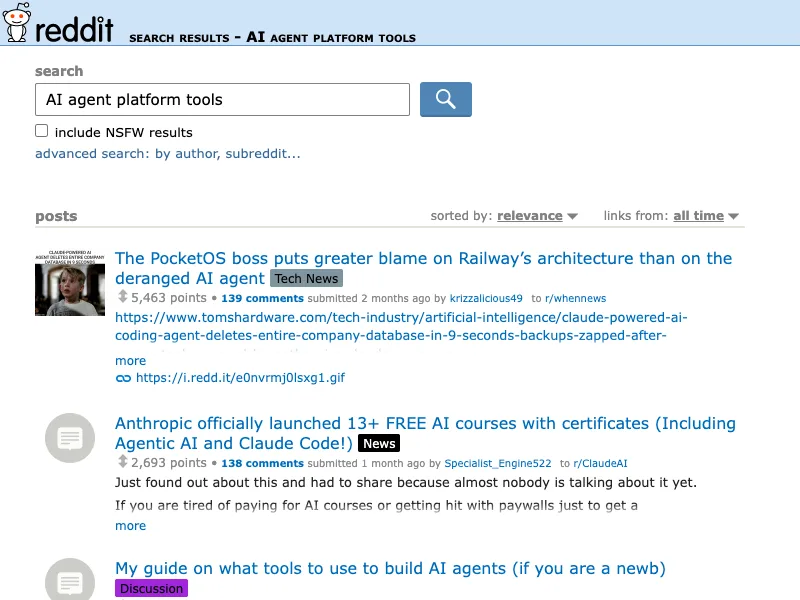
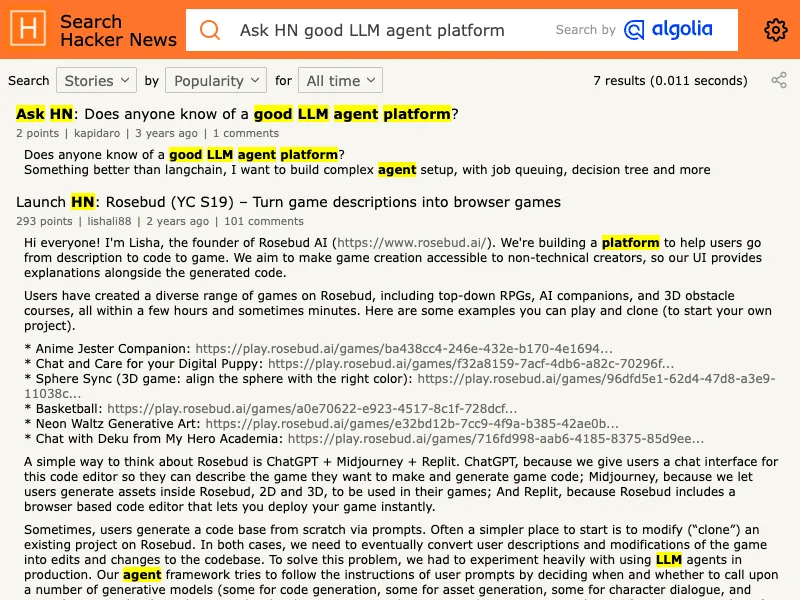
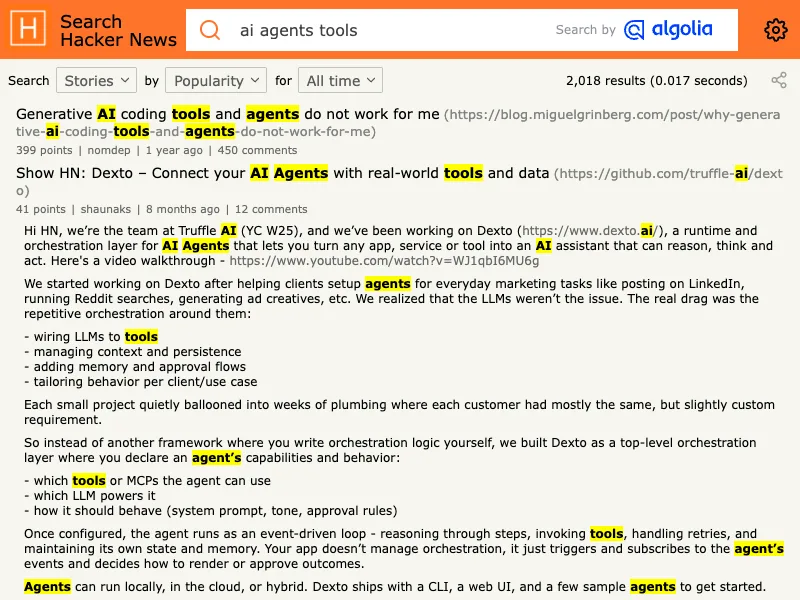
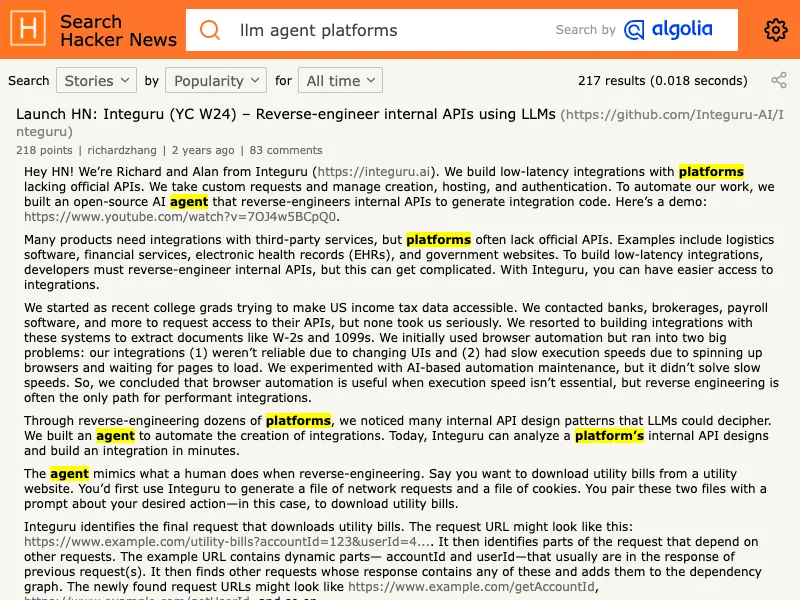
Treat these captures as prompts for due diligence: Can we debug a failed run? Can we limit tools? Can we pause the workflow? Can a reviewer recover the work without engineering intervention?
Tool-Selection Mistakes That Create Maintenance Pain
Buying “multi-agent” before proving one controlled workflow
More agents do not create a better process by default. Start with one decision boundary, one tool set, and one measurable outcome. Add orchestration only when a real dependency, state transition, or exception path requires it.
Treating connectors as trusted by default
A connector can expand an agent’s operational reach. Review the exact operations, credentials, data fields, retention behavior, and approval requirements. Broad access to email, CRM, payments, or internal documents should not be hidden behind a generic “integration” label.
Confusing trace collection with governance
Tracing helps diagnose what happened. Governance determines what was allowed to happen. You need both, plus clear retention and access rules for sensitive data.
Leaving maintenance ownership implicit
Prompts, policy sources, model versions, tool schemas, credentials, and evaluation cases all change. Name the person or team that owns each change, the release check, and the rollback decision. For implementation options, compare AI agent development services with AI integration services based on which gap—workflow design or systems integration—is actually blocking progress.
A Short Watchlist, Not a Prediction
Watch standards and product documentation where they affect your current architecture. MCP is worth monitoring where external tool integration is part of the design because it defines a standard connection model; it does not remove the need to assess each server’s permissions and execution risk. OpenAI’s tools documentation is useful for distinguishing function calls, hosted tools, remote MCP, shell, and computer-use surfaces. Managed platforms are worth evaluating when their identity, deployment, and governance model fits your environment.
Do not choose a stack because it appears to represent the future. Choose it because it meets the current workflow’s evidence, control, and ownership requirements while preserving a credible exit path.
Methodology and Source Notes
This editorial review was refreshed on June 19, 2026. It used direct documentation from OpenAI, LangGraph, the Model Context Protocol, and Google Cloud, alongside qualitative Reddit search snippets and Hacker News results. Community material is included only as practitioner context; it is not statistical evidence of prevalence, performance, pricing, or adoption.
The right AI agent tool is the one that makes a specific workflow more controlled and measurable—not the one with the most impressive demo. Define the action boundary, prove the deterministic baseline, test the narrowest viable layer, and fund expansion only after the pilot has an accountable owner and a safe recovery path.
Ready to Automate Your Business?
Stop wasting time on repetitive tasks. Let AI handle the busywork while you focus on growth.
Schedule a Free Strategy Call →Written by:Arsum editorial team
- Reviewed by
- Arsum editorial team
- Published
- February 5, 2026
- Updated
- August 10, 2026
- How this was produced
- Arsum uses research packs, source checks, and human editorial review to prepare and update blog articles. Editors are responsible for the final page.
- Source policy
- Sources are linked in the article when used. Methodology and source notes are included on higher-risk or high-visibility pages and are being rolled out across the archive. Editorial policy.
- Why this page exists
- Help B2B operators evaluate AI automation, implementation scope, cost, risk, and build-vs-buy decisions with practical context.