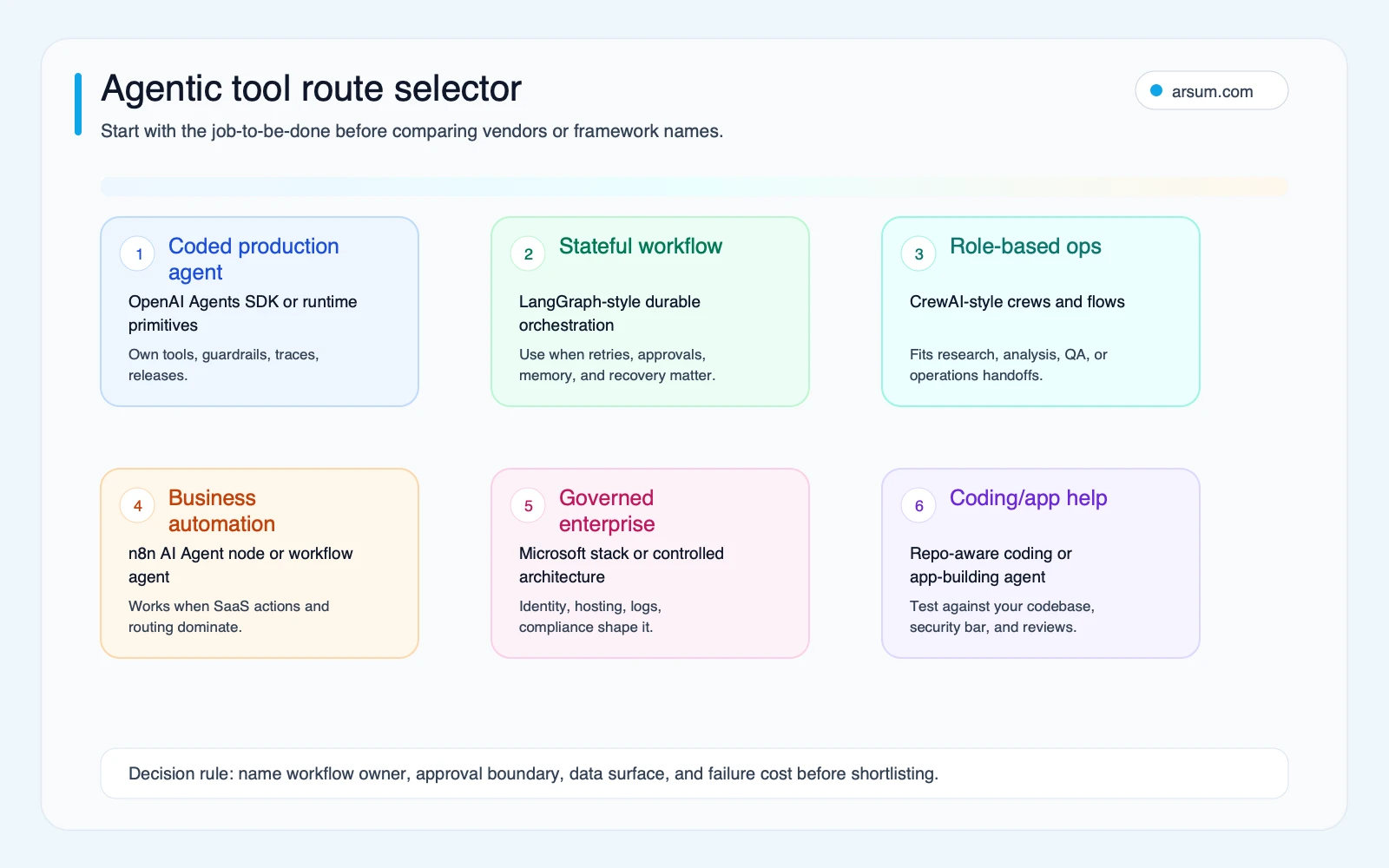
For the best agentic AI tools 2026, do not start with a ranked list. Start by naming the workflow, its owner, the actions it may take, and the cost of being wrong. The right tool is the one that fits your operating model: a code-first runtime for a custom product, durable orchestration for stateful work, a workflow builder for connected business systems, or an enterprise framework where identity and controls already shape the architecture.
Best Agentic AI Tools 2026: Comparison
Explore best agentic AI tools 2026: compare workflow fit, costs, risks, evidence, and practical next steps before you build, buy, or hire.

Table of Contents
- What Most Guides Miss: You Are Choosing an Operating Model
- Start With the Workflow Boundary, Not the Demo
- Category Map: Pick the Class Before the Product
- Side-by-Side Comparison of Named Options
- A Weighted Evaluation Worksheet With Disqualifying Gates
- Worked Pilot: Supervised Support-Triage Routing
- Production Controls That Belong in the Design
- When Not to Use an Agentic Tool
- Source Method and Refresh Policy
- Final Decision
What Most Guides Miss: You Are Choosing an Operating Model
Agentic AI describes a set of common capabilities—using tools, retaining or passing state, selecting next steps, and handling some exceptions. It does not prove that a product is suitable for a consequential workflow, nor does it authorize autonomous action.
Most tool lists combine fundamentally different purchases:
- A developer runtime for an engineering team.
- A stateful orchestration framework for long-running workflows.
- A role-based multi-agent framework.
- An enterprise platform decision.
- A visual workflow automation tool with an agent step.
- A coding assistant used within an existing software delivery process.
That mix makes a simple ranking misleading. A finance operations team that needs controlled case routing is not making the same choice as a product team building an in-app agent. A tool can be technically capable and still be the wrong purchase if no one owns credentials, trace review, incident response, or workflow maintenance.
Use this decision rule: choose the simplest category that can handle the workflow’s real ambiguity without weakening its required controls. Keep deterministic work deterministic; use an agentic layer only where context or exceptions genuinely change the next step.
Start With the Workflow Boundary, Not the Demo
A useful shortlist begins with one narrowly defined workflow. Write down:
| Question | What a usable answer looks like |
|---|---|
| What enters the workflow? | A ticket, document, request, account record, or repository issue with known source systems |
| What is the proposed output? | A classification, draft, research packet, routing recommendation, or bounded system update |
| Which actions are permitted? | Read-only retrieval, draft creation, queue routing, or explicitly approved writes |
| Which actions require approval? | Customer communication, financial changes, compliance decisions, production deployment, or irreversible updates |
| Who owns the workflow? | A named operations lead, product owner, engineering lead, or risk owner |
| What happens on uncertainty? | Escalation to a queue with source links and a visible reason |
| How is a bad run reversed? | Versioned record restoration, compensating action, disabled credential, or revertable pull request |
If inputs are structured, rules are stable, and the correct action is known in advance, use conventional workflow automation. An agent is more appropriate when the work involves incomplete information, variable documents, cross-system research, or a recommendation that still needs review.
This distinction matters in tools such as AI workflow automation platforms: a deterministic workflow can call AI for classification or drafting without routing every lookup and write through an autonomous loop. That usually produces a clearer audit trail, lower operational complexity, and easier recovery.
Category Map: Pick the Class Before the Product
| Category | Typical owner | Best workflow fit | Control model to validate | Main maintenance risk |
|---|---|---|---|---|
| Agent runtime | Product and engineering | Custom agents embedded in an application or service | Tool permissions, guardrails, tracing, evaluation | Engineering owns every integration and policy boundary |
| Stateful orchestration | Engineering and operations | Long-running cases with retries, persistence, and human checkpoints | State recovery, resume behavior, approval interrupts | Workflow complexity can outgrow undocumented designs |
| Multi-agent framework | Technical workflow owner | Role-separated research, analysis, or internal operations | Role handoffs, shared context, reviewer gates | Multiple “roles” can add orchestration without business value |
| Enterprise framework | IT, platform, security | Environments shaped by enterprise identity and platform standards | Identity, telemetry, hosting, policy integration | Architecture and procurement complexity |
| Workflow automation agent | Automation team or technical operations | SaaS-connected routing, enrichment, document handling, notifications | Credential controls, versions, exception queues | Visual logic becomes difficult to test and govern |
| Coding agent | Engineering team | Bounded repository tasks, tests, maintenance, prototypes | Branch protection, test gates, code review | Unsafe or unreviewed changes enter delivery flow |
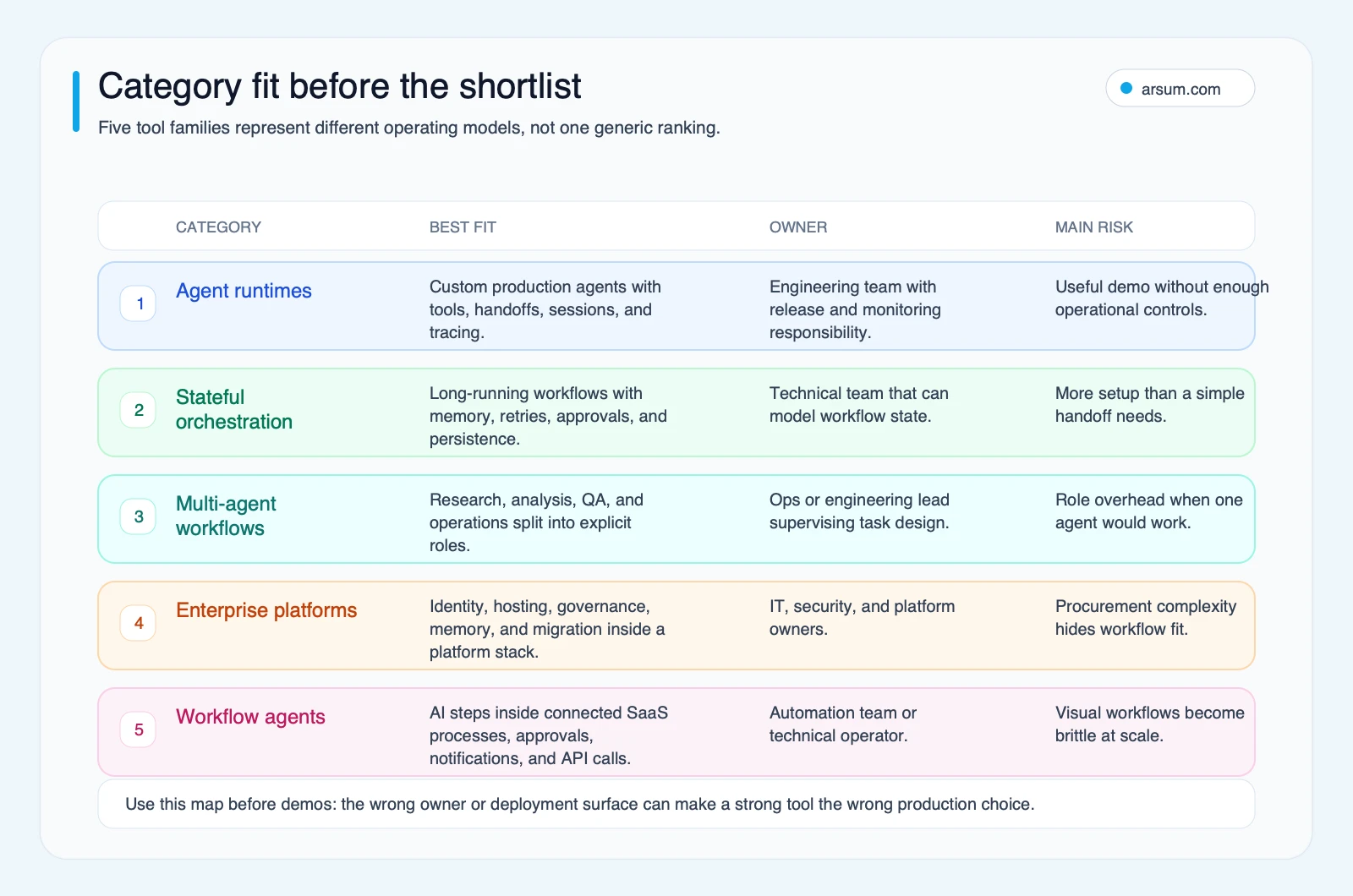
A category map should reduce your shortlist, not expand it. If you are automating intake and routing across a CRM, help desk, and messaging system, compare workflow automation paths first. If you need a custom state machine that pauses for specialist approval and resumes later, compare orchestration frameworks. If you are deciding whether to embed an agent into a product, evaluate runtimes and your engineering capacity.
For a broader explanation of the boundary, see agentic AI workflow automation and agentic AI versus generative AI.
Side-by-Side Comparison of Named Options
The table below compares documented capabilities, not vendor maturity claims. “Validate” means the buyer should confirm the implementation detail in a proof of concept; it is not safe to infer a production control from a product category.
| Option | Engineering ownership | Deployment/control model | Approval implementation | Trace detail | Credential isolation | Recovery behavior | Major cost drivers |
|---|---|---|---|---|---|---|---|
| OpenAI Agents SDK | High; code-first | Application-managed runtime and tool integrations | Guardrails and application-level approval flows must be designed for the workflow | Official tracing documentation covers model calls, tool calls, handoffs, guardrails, and custom events | Validate through your application’s credential and tool architecture | Validate retry, compensation, and state handling in your implementation | Model usage, tool/API calls, tracing, engineering, review, incident handling |
| LangGraph | High; engineering-led | Low-level orchestration for stateful systems | Official docs describe human-in-the-loop control; validate the exact interrupt and authorization design | Validate trace stack and retention configuration | Validate integration-specific secrets and least privilege | Official positioning includes durable execution and persistence; test resume behavior | Hosting, model/tool calls, persistence, observability, engineering |
| CrewAI | Medium to high | Code-based crews and flows | Guardrails are documented; validate approval queues and write authorization | Documentation describes observability; validate event coverage and retention | Validate per-tool credentials and role boundaries | Validate retries, flow recovery, and idempotency for each workflow | Model calls, knowledge/retrieval, hosting, observability, engineering, review |
| Microsoft Agent Framework | High; enterprise platform ownership | .NET and Python framework aligned to enterprise application architecture | Validate filters, approval patterns, and business authorization design | Documentation describes telemetry; validate trace fields and operational access | Validate identity, delegated access, and service-account boundaries | Validate session-state recovery and integration failure handling | Engineering, hosting, model services, enterprise platform operations, review |
| n8n AI Agent node | Medium; automation ownership | Workflow builder with cloud or self-managed deployment choices | Build explicit approval nodes and queues for risky writes | Validate execution visibility, error routes, and retention for your deployment | Validate credential ownership, scopes, and rotation | Build error workflows, replay rules, and compensating actions | Platform deployment, model calls, connectors, workflow maintenance, reviewer time |
| Coding agents | High; software delivery ownership | IDE, repository, or hosted development workflow | Pull-request review, branch protection, tests, and release approval remain essential | Validate repository-level logs and task traceability | Validate repository, CI, and secret access | Git-based reverts can help; test rollback and deployment controls | Seats or usage, model calls, CI, reviewer time, remediation |
The purpose of this comparison is not to crown one winner. It is to expose where the buyer must supply the control. A runtime may offer strong primitives but still require your team to implement approval enforcement. A visual builder may speed up a pilot but still require rigorous credential ownership and error handling.
A practical shortlist by workflow
- Choose a runtime such as OpenAI Agents SDK when engineers are building a custom, tool-using agent inside a product or controlled service.
- Choose LangGraph when durable state, interruption, resume behavior, and workflow recovery are central requirements.
- Consider CrewAI when role separation makes accountability clearer—for example, research, analysis, and review—but test whether a single-agent workflow is sufficient.
- Consider Microsoft Agent Framework when existing Microsoft-oriented application architecture, telemetry, and platform ownership materially simplify delivery.
- Consider n8n when the workflow is chiefly orchestration across business systems and the team can own versioning, credentials, and exception handling.
- Treat coding agents as delivery tools within existing engineering controls, not as a substitute for code review, tests, or release management.
For framework-specific tradeoffs, review the agentic AI frameworks comparison before committing to a build path.
A Weighted Evaluation Worksheet With Disqualifying Gates
Score candidates from 1 to 5, then apply the gates before comparing totals.
| Criterion | Weight | What earns a 5 |
|---|---|---|
| Workflow fit | 20% | The tool supports the actual input variation, systems, and allowed actions without unnecessary architecture |
| Operational ownership | 15% | A named team can maintain integrations, prompts or policies, credentials, and incident response |
| Traceability | 15% | Runs expose source inputs, tool calls, outputs, approvals, retries, and failure reasons |
| Approval and authorization | 15% | Consequential actions pause for the correct business owner and cannot bypass the decision boundary |
| Recovery and rollback | 10% | Failed or incorrect writes have a tested reversal or compensating process |
| Cost visibility | 10% | Model, tool, platform, observability, engineering, review, and failure-handling costs can be measured |
| Deployment and data fit | 10% | Identity, retention, data access, and hosting meet the organization’s actual obligations |
| Implementation burden | 5% | The pilot can be built and operated with available skills and support |
Weighted score formula: multiply each 1–5 score by its weight, then add the results. A total is only useful after the gates below pass.
Disqualifying gates
Do not approve a production pilot if any of these are unresolved:
- The agent can take a consequential action without an explicitly authorized owner.
- The team cannot reconstruct which source, tool, or instruction led to a material output.
- Credentials are broader than the agent needs, or no owner is responsible for rotating and revoking them.
- The workflow has no tested rollback or compensating path.
- The owner cannot set a spend ceiling or identify total cost beyond model tokens.
- No operational lead owns the exception queue after launch.
The NIST AI Risk Management Framework is useful here as a governance reference. It does not select a vendor for you; it helps ensure that risk, measurement, and accountability are part of the selection decision.
💡 Arsum builds custom AI automation solutions tailored to your business needs.
Get a Free Consultation →Worked Pilot: Supervised Support-Triage Routing
The following is an illustrative planning example, not an observed client result. It shows what a completed scorecard should contain before a team chooses to buy, build, or partner.
Workflow and baseline
A support operations team receives 1,000 tickets per month. Each currently takes an assumed 6 minutes for initial reading, categorization, and routing. That creates an illustrative baseline of:
- 1,000 tickets × 6 minutes = 6,000 minutes
- 6,000 minutes ÷ 60 = 100 staff-hours per month
The pilot does not authorize refunds, account changes, customer promises, or policy decisions. It may:
- Read the ticket and approved knowledge sources.
- Propose a category, priority, and routing destination.
- Draft an internal summary with source links.
- Route only low-risk categories through a deterministic workflow after a configured rule check.
All uncertain, high-priority, security-related, billing-related, or policy-sensitive tickets go to a human queue.
Source lineage and exception classes
Every recommendation must retain:
- Ticket identifier and received timestamp.
- Source documents or knowledge-base references used.
- Proposed category, priority, routing action, and confidence explanation.
- Model/tool trace and error status.
- Reviewer decision: accepted, corrected, or escalated.
Exception classes are predefined:
| Exception | Required path |
|---|---|
| Missing customer or account context | Send to human triage queue |
| Security, privacy, or account-access issue | Route to designated security/support owner; no automated external response |
| Billing, refund, or contract issue | Route to authorized human owner |
| Conflicting source material | Mark unresolved and request review |
| Tool failure or unavailable source | Fail closed; create a visible exception record |
Acceptance thresholds and cadence
| Measure | Baseline or limit | Pilot target | Owner | Review cadence |
|---|---|---|---|---|
| Initial triage time | Illustrative baseline: 100 hours/month | Reduce human handling time only where reviewer acceptance supports it | Support Operations Lead | Weekly |
| Reviewer acceptance | No baseline assumed | At least 90% accepted without material correction across an agreed test set | Support Operations Lead | Weekly sample review |
| High-risk routing errors | Zero tolerance for automatic external action | 0 unauthorized high-risk actions | Support Operations Lead and Security Owner | Every run |
| Trace completeness | Not assumed | 100% of pilot runs retain required lineage fields | Technical Owner | Weekly |
| Cost ceiling | Set before launch | Model, tools, platform, and reviewer time stay within approved pilot cap | Finance or Operations Owner | Weekly |
| Exception behavior | Not assumed | 100% of named exception classes enter the correct queue | Technical Owner | Weekly |
The 90% threshold is an illustrative planning requirement, not a universal standard. A lower-risk internal drafting workflow may use a different target; a workflow with material customer, financial, or compliance impact may require a higher threshold and narrower permissions.
Stop condition and rollback
Stop the pilot immediately if it makes an unauthorized external action, loses required trace data, misroutes a protected issue outside the defined escalation path, or exceeds the agreed cost ceiling without an owner-approved investigation.
Rollback is simple by design:
- Disable the agent’s write-capable credentials.
- Return all intake to the existing manual queue.
- Export traces and reviewer decisions for root-cause review.
- Re-enable only after the failure is fixed, tested against the relevant exception class, and approved by the workflow owner.
Build-versus-buy outcome
In this example, a workflow automation platform may be the sensible starting point if the team already has stable ticketing and messaging integrations, the action boundary is narrow, and a technical operations owner can maintain the workflow.
A code-first runtime or orchestration framework becomes more attractive if the workflow needs custom retrieval, complex state across several systems, or product-level integration that the visual workflow cannot safely express. The decision is driven by control and maintenance requirements—not by which product appears most autonomous.
This is the same discipline used in AI customer service automation: improve a bounded part of the operation, keep authorization explicit, and measure review cost as well as automated throughput.
Production Controls That Belong in the Design
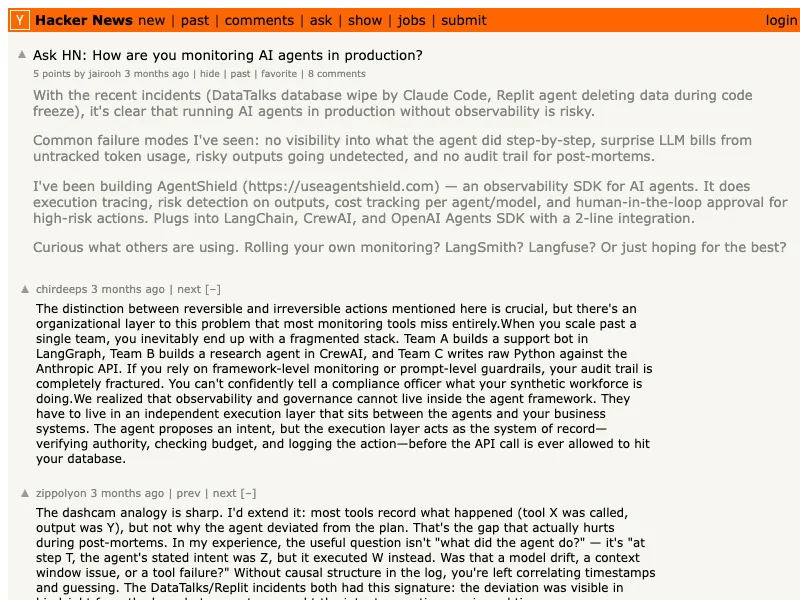
Practitioner discussions are useful as qualitative signals, not adoption statistics. Recent discussions on production-ready frameworks, agent observability, and monitoring agents in production converge on practical questions: Can the team inspect tool choices? Can it detect cost growth? Can it intervene when the workflow behaves unexpectedly?
A related n8n community discussion is a useful reminder that routing every data lookup through an agent can make a workflow harder to manage. Use normal nodes or APIs where rules are clear; reserve the agent for interpretation and bounded judgment.
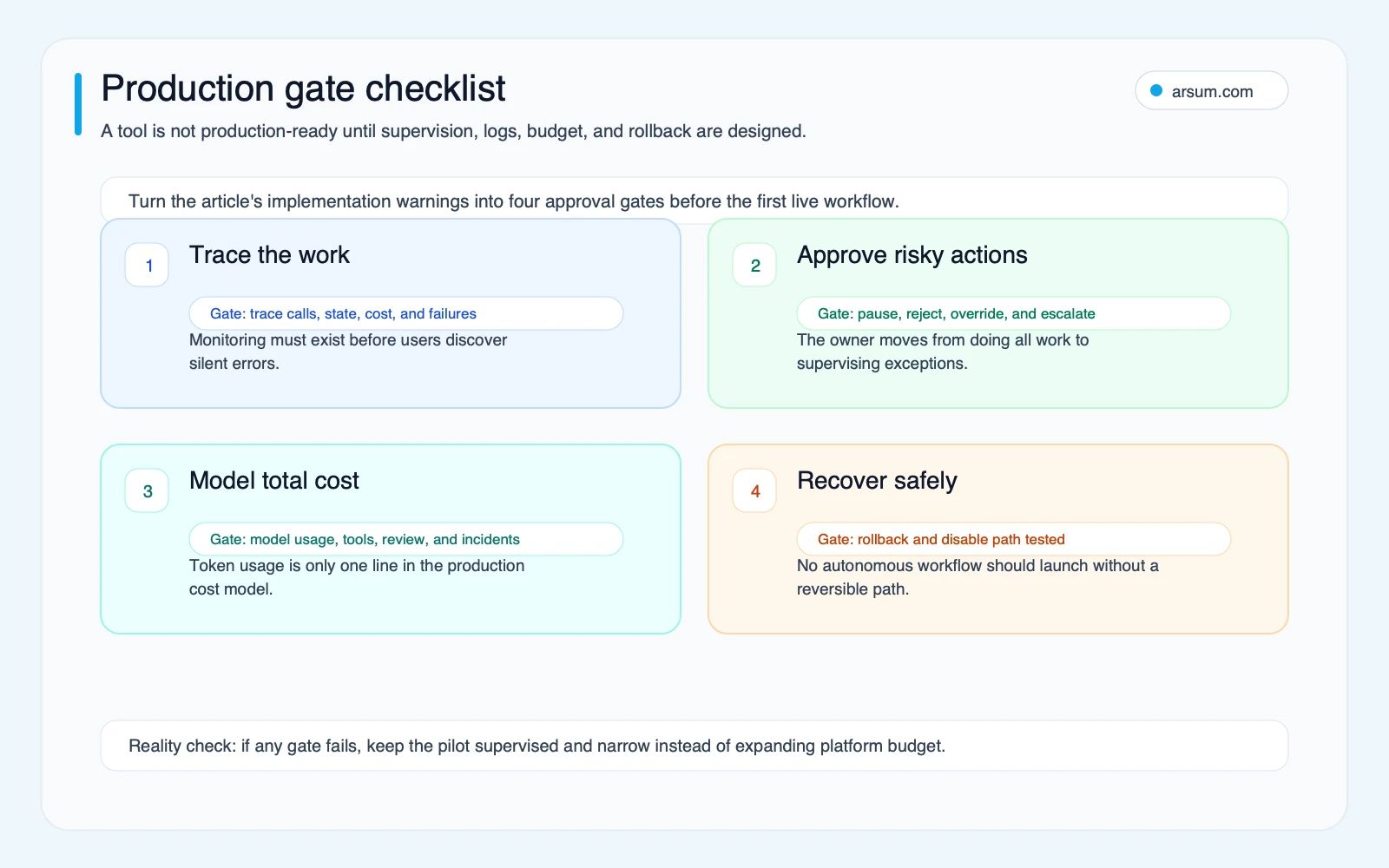
Your minimum production telemetry should show:
- Input source and version of the workflow or prompt policy.
- Tools called, arguments where appropriate, and the result or failure.
- Handoffs, retries, approval requests, and exception routing.
- Cost signals for model calls, tools, and retries.
- The human reviewer’s final action.
- A way to identify recurring failure modes.
When Not to Use an Agentic Tool
Do not choose an agentic system merely because a workflow touches several systems. Disqualifying conditions include:
- No stable source of truth for the decision.
- An irreversible action with no practical approval or rollback path.
- Low task volume and no measurable operational bottleneck.
- A process that can be expressed more reliably as fixed rules.
- Sensitive data access with unresolved identity, retention, or authorization requirements.
- No person or team willing to own exceptions after launch.
- A vendor demonstration that cannot be reproduced with your actual systems and test cases.
For finance, compliance, healthcare administration, or customer-impacting workflows, technical capability never creates business authorization. An agent can prepare evidence, classify documents, or draft a recommendation while a designated owner retains the consequential decision.
Source Method and Refresh Policy
This comparison uses official product documentation for capability claims and treats public discussions as qualitative evidence of implementation concerns. The official sources reviewed include OpenAI, LangGraph, CrewAI, Microsoft, n8n, and NIST.
Vendor capabilities, product names, deployment options, and pricing models change quickly. Review official documentation before final selection and refresh a shortlist whenever the workflow, model provider, deployment requirement, or governance standard changes. Teams planning beyond the shortlist stage should also compare these tool categories with the broader future of agentic AI before expanding autonomy or infrastructure commitments. This article’s source review date is June 21, 2026.
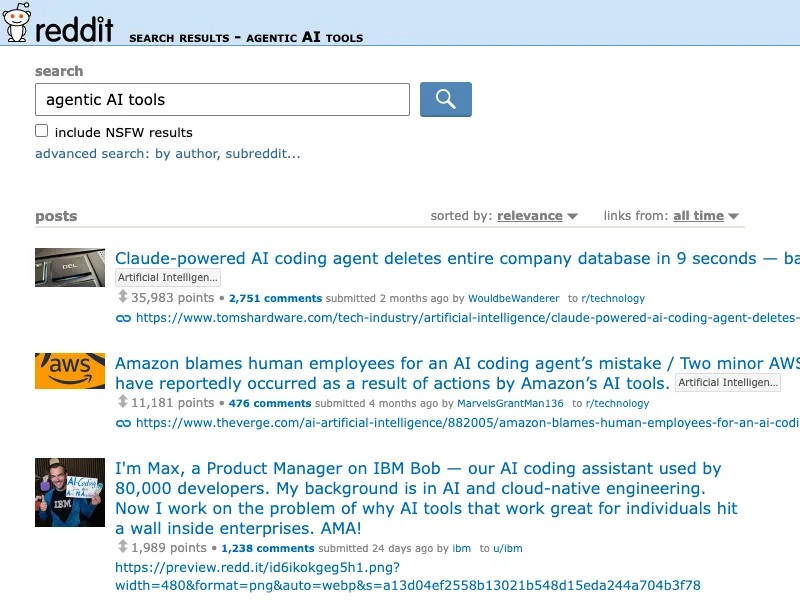
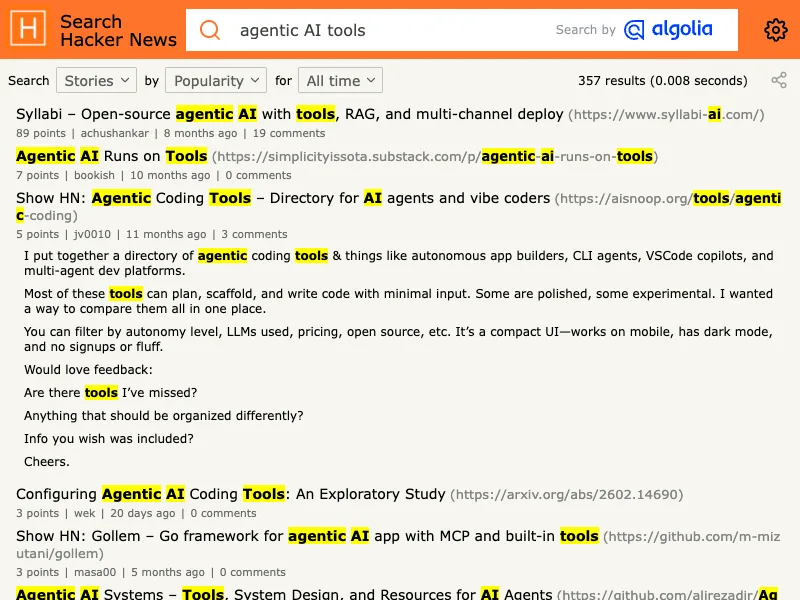
The screenshots below are retained as discovery context only. They are search captures, not proof of market prevalence or a substitute for attributable operational evidence.
Final Decision
The best agentic AI tool is the one that passes a controlled workflow test with an accountable owner—not the one with the most impressive demo.
Start with a workflow that has measurable volume, a safe initial action boundary, an exception queue, full traceability, a cost ceiling, and a tested rollback. Then choose the category that your team can actually operate:
- Workflow builder for bounded cross-application operations.
- Runtime for a custom product agent.
- Orchestration framework for durable, stateful work.
- Enterprise framework where existing platform controls matter.
- Coding agent only inside normal engineering review and release controls.
If you need help turning a vague use case into a scored shortlist and controlled pilot, an agentic AI consulting engagement should begin with workflow boundaries, controls, and acceptance criteria—not a generic platform recommendation.
Ready to Automate Your Business?
Stop wasting time on repetitive tasks. Let AI handle the busywork while you focus on growth.
Schedule a Free Strategy Call →Written by:Arsum editorial team
- Reviewed by
- Arsum editorial team
- Published
- February 17, 2026
- Updated
- July 5, 2026
- How this was produced
- Arsum uses research packs, source checks, and human editorial review to prepare and update blog articles. Editors are responsible for the final page.
- Source policy
- Sources are linked in the article when used. Methodology and source notes are included on higher-risk or high-visibility pages and are being rolled out across the archive. Editorial policy.
- Why this page exists
- Help B2B operators evaluate AI automation, implementation scope, cost, risk, and build-vs-buy decisions with practical context.