For a founder choosing vibe coding tools for a client portal, internal workflow, or SaaS MVP, start with the operating boundary: required integrations, accountable owner, consequence of a wrong result, and whether the team must maintain the output after launch. A browser builder may be the right way to validate a workflow; a code-owned environment may be necessary before the same workflow handles customer data, billing, approvals, or a daily operating dependency.
Vibe Coding Tools: 2026 Comparison
Explore vibe coding tools: compare workflow fit, costs, risks, evidence, and practical next steps before you build, buy, or hire.

Table of Contents
- What Most Guides Miss: You Are Choosing an Operating Model
- A Buyer-Ready Comparison of Vibe Coding Tools
- How to Select by Risk, Not Demo Quality
- Tool-by-Tool Operating Boundaries
- The Pilot Worksheet: Make the Choice Reproducible
- Failure Modes That Should Change the Tool Choice
- Hybrid Workflows Often Beat a Single-Tool Choice
- Community Signals: Useful Questions, Not Market Proof
- Bottom Line
What Most Guides Miss: You Are Choosing an Operating Model
Feature lists make these tools look interchangeable. They are not. The decision is usually not “Cursor versus Lovable” in isolation; it is whether your next constraint is interface exploration, a working end-to-end prototype, codebase change, or production control.
A useful rule:
- Use a fast builder when the question is “will users understand and want this workflow?”
- Use a code-owned workflow when the question is “can we safely operate, change, test, and hand this off?”
- Combine tools when the UI, prototype, and production layers have different needs.
For example, consider an operations portal that imports CSV files, assigns exception states, alerts account owners, and records approvals. Before choosing a tool, name:
- The source of truth for imported data.
- The person who approves an exception before it changes a customer or financial outcome.
- The engineer or technical owner who can inspect a change.
- The fallback process if the app, integration, or generated logic fails.
- The point at which the prototype becomes an operational dependency.
Technical capability is not authorization to automate a consequential decision. If no one owns the data lineage, approval point, deployment, and rollback, the project is still a pilot—even when the demo works.
A Buyer-Ready Comparison of Vibe Coding Tools
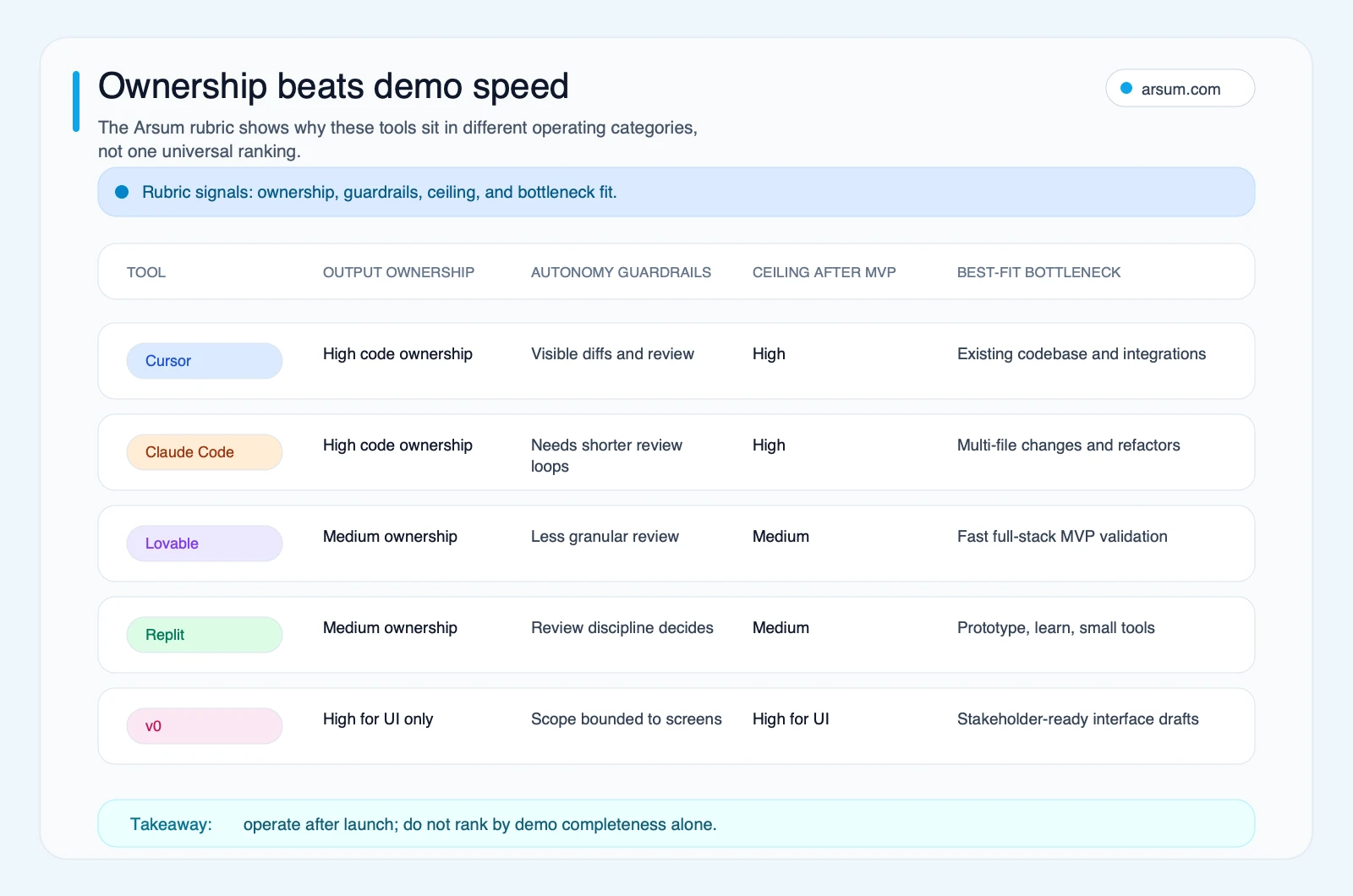
The table below is an editorial assessment of operating fit, not a performance benchmark or vendor ranking. Product capabilities change quickly; verify pricing, terms, security controls, export options, deployment ownership, integrations, and support directly during procurement.
| Tool | Verified surface or role | Operating implication | Best-fit stage | Validate before purchase |
|---|---|---|---|---|
| Cursor | Its official documentation describes an IDE and agent workflow with rules, MCP, skills, CLI, models, and team or enterprise setup. | Fits a code-owned workflow where a team can review generated changes in its repository and engineering process. | Existing codebase work, integrations, maintainable product development. | Pricing and usage model; repository and identity controls; data handling; team administration; required integrations. |
| Claude Code | Its official overview describes a coding agent that works in a terminal and local development environment. | Fits supervised multi-file work when a technical owner can constrain tasks, inspect changes, run tests, and reject unsafe output. | Refactors, scoped implementation tasks, established codebases. | Permission scope; command and environment controls; model usage economics; auditability; reviewer capacity. |
| Lovable | Research-pack evidence positions it as a browser-first app-building option used in prototype and hybrid workflows. | Useful for rapidly testing a user journey or workflow concept, provided the team defines the handoff and hardening path before reliance grows. | Product discovery, early MVP, stakeholder feedback. | Code export and Git ownership; hosting and deployment control; auth and data choices; integration limits; security documentation; support. |
| Replit | Research-pack evidence positions it as a browser-based development environment used for quick builds and experiments. | Can reduce setup friction, but the team still needs explicit ownership for tests, deployment, credentials, monitoring, and incident response. | Learning, prototypes, bounded internal tools. | Usage economics; source and environment portability; deployment ownership; collaboration controls; data handling; support. |
| v0 | v0 is positioned in the research pack primarily as a UI and component-generation surface. | Best treated as a frontend acceleration tool inside a broader architecture, not as proof that backend, auth, data, billing, or operations are solved. | UI exploration, components, stakeholder-ready prototypes. | Output ownership; framework fit; accessibility review; backend integration path; deployment and observability responsibilities. |
The practical shortlist
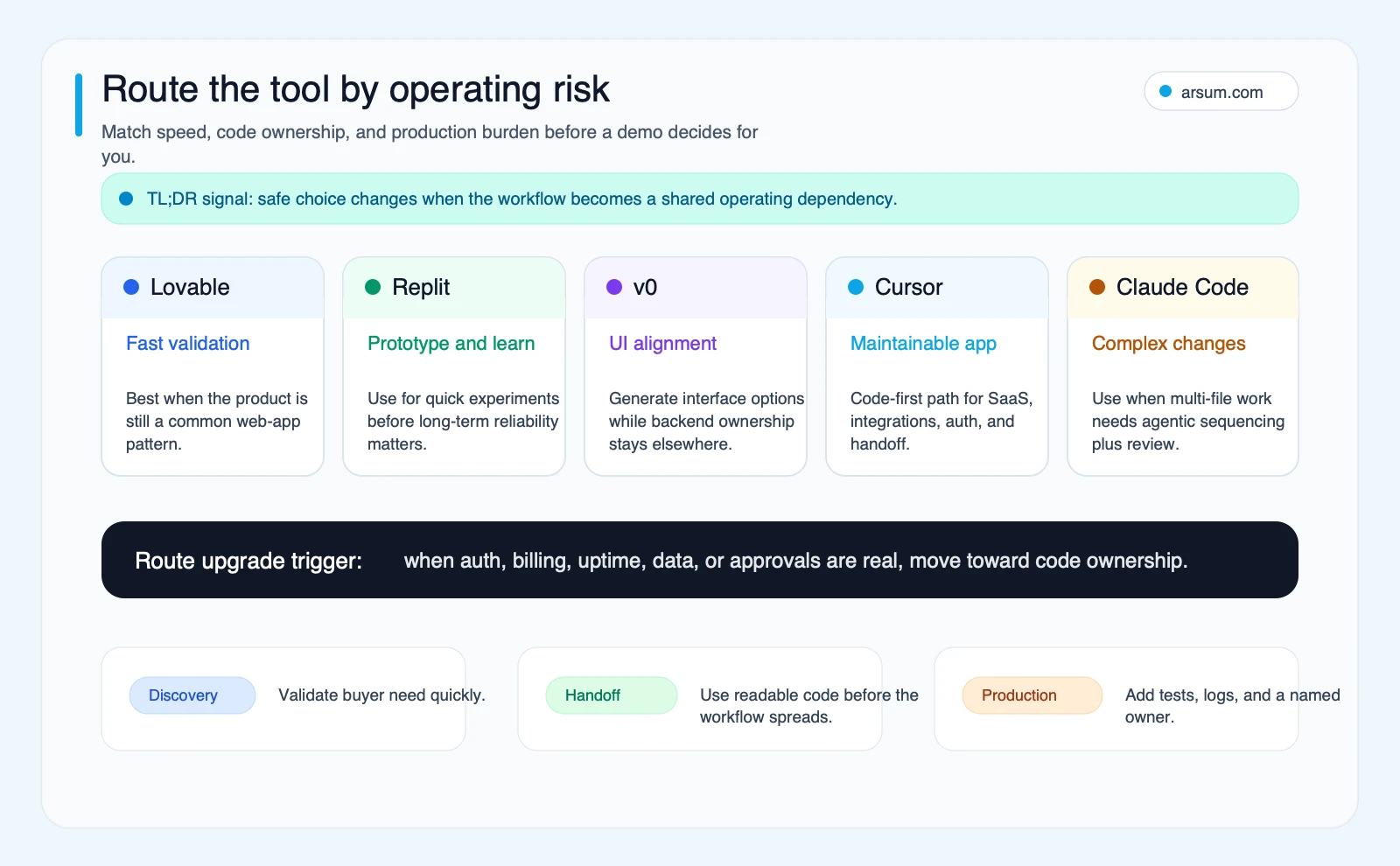
Choose a browser-first builder when the main uncertainty is product shape: “Will users understand this dashboard, form, or workflow?”
Choose Cursor or Claude Code when the main uncertainty is execution inside code you must maintain: “Can this integrate with our systems, be tested, and survive the next change?”
Choose v0 when the bottleneck is interface iteration and the production application already has, or will have, a separately owned backend.
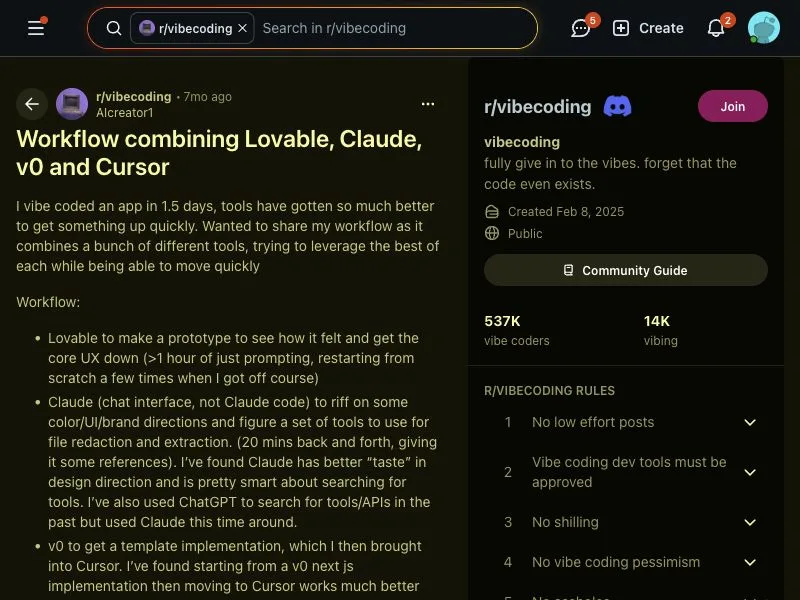
Use a hybrid route when the team needs both speed and ownership. Public practitioner discussions in the research pack describe builders combining Lovable, Claude Code, v0, and Cursor by stage rather than committing to one tool. That is a qualitative workflow signal, not proof that any one stack is right for every team.
How to Select by Risk, Not Demo Quality
The more costly a wrong output is, the lower the acceptable autonomy. That does not mean a high-risk project automatically requires a particular coding tool. It means the project requires stronger controls regardless of tool.
Low-consequence discovery work
Examples include a landing page, a mock dashboard, a non-production calculator, or an internal concept demonstration.
The goal is learning. Keep customer data, payment actions, approvals, and irreversible changes out of scope. A builder or UI generator can be appropriate if the output helps the team answer a specific product question.
The decision gate is simple: did the prototype change the team’s understanding of the workflow enough to justify a controlled build?
Operational workflow prototypes
Examples include an internal intake tool, reporting helper, account-review workspace, or customer-facing portal with limited pilot users.
Here, the project needs named data sources, test cases, user access rules, an exception queue, and an accountable owner. The team should decide whether it can retain and inspect the resulting code, configuration, credentials, and deployment path.
This is where a proof of concept becomes either a useful pilot or hidden operational debt. For a broader framework on putting agents into real workflows, see agentic AI workflow automation.
Consequential production systems
Examples include systems connected to billing, permissions, regulated information, financial decisions, customer commitments, or core revenue operations.
A vibe-coded prototype may still be useful for interface discovery, but it is not enough by itself. Require code review, test evidence, access control, logging, monitoring, incident ownership, deployment controls, and a rollback path. The relevant decision is not whether the model can generate a screen or function; it is whether the organization has authorized and controlled the resulting workflow.
For teams designing those controls, AI agent security and AI agent architecture patterns provide useful implementation context.
Tool-by-Tool Operating Boundaries
Cursor: code ownership with an IDE-centered workflow
Cursor is a reasonable candidate when the team wants AI assistance inside a codebase it owns and can review. The research pack supports its positioning around IDE and agent workflows, including rules, MCP, CLI, models, and team or enterprise features through its official documentation.
The operating implication is not that Cursor makes a system production-ready. It gives a technical team a surface for working with generated changes alongside normal engineering controls. Its value depends on repository discipline, tests, code review, environment separation, and the team’s ability to diagnose failures.
Use it when an engineer can own the code and the workflow needs integrations, custom logic, or a durable handoff. Validate vendor terms, data handling, identity controls, pricing, and the exact collaboration model before commitment.
If the decision is specifically between IDE-centered work and a terminal agent, see Claude Code vs. Cursor.
Claude Code: supervised work in the local environment
Claude Code is a terminal and local-environment coding agent according to its official overview. That makes it relevant when one scoped change spans multiple files, tests, configuration, or code layers.
Its operating benefit is potential coordination across a development task. Its risk is that a plausible sequence of changes can outrun review. Keep work in short, bounded loops: state the acceptance criteria, limit permissions, review the diff, run the agreed tests, and stop when evidence is missing.
Use it when a technical owner can supervise the environment and recover from a bad change. Do not treat a terminal agent as a substitute for architecture, access policy, deployment discipline, or incident ownership.
For a build-oriented workflow view, see how to build an app with Claude Code.
Lovable: fast learning, with a planned handoff
Lovable can be useful when a nontechnical or mixed team needs to turn a workflow idea into a concrete interface quickly. The research pack’s community signals describe builders using it alongside code tools rather than treating it as a permanent alternative to engineering.
The operating implication is to bound the pilot. Define the user journey, approved data, permitted integrations, and success question before building. If the application will gain customer data, billing, complex permissions, or business-critical logic, re-evaluate whether source ownership, deployment, testing, and operational controls are sufficient.
Do not assume a prototype must be rebuilt, and do not assume it can be hardened without further work. Validate the specific export, hosting, auth, data, integration, and support options available for your intended architecture.
Replit: accessible environment, still an ownership decision
Replit is useful for reducing local setup friction while a team explores an application or small internal tool. Research-pack community signals distinguish browser-first tools as approachable starting points, while also describing debugging loops when people cannot inspect or correct generated behavior.
That is a skill-and-review issue, not a judgment about the tool. Use Replit when the scope is bounded and an owner can maintain code, secrets, environments, deployment, logs, and user support. Recheck current pricing, portability, security posture, and deployment terms before a production decision.
v0: frontend acceleration, not a full operating system
The research pack identifies v0 primarily as a UI and component-generation tool. That is a focused strength. It can help a product, sales, or operations team react to a credible interface before backend work consumes engineering capacity.
Keep the boundary clear: interface generation does not settle authentication, data design, billing, permissions, logs, monitoring, or support. Treat output as a draft that still needs design review, accessibility checking, integration, and ownership inside the application architecture.
The Pilot Worksheet: Make the Choice Reproducible
Do not run a generic “build the same app in every tool” contest. Run a pilot against the workflow that must improve.
Use this scorecard before buying a team plan or moving a prototype toward production.
| Field | Pilot definition |
|---|---|
| Workflow | State one bounded process, such as “route incomplete customer onboarding submissions to an operations reviewer.” |
| Baseline | Record the current weekly volume, median handling time, manual handoffs, and known error or rework pattern. |
| Target | Set a planning target, such as reducing manual routing steps while preserving human approval. This is an acceptance target, not an expected vendor result. |
| Test cases | Include the normal path plus duplicates, missing fields, conflicting records, permission errors, failed integrations, and an intentionally wrong input. |
| Data lineage | Name source systems, what data enters the pilot, where it is stored, and who can access it. |
| Approval point | Name the role that authorizes the consequential action. The tool may draft or route; the approved owner decides. |
| Technical owner | Name the person responsible for code, configuration, credentials, deployment, logs, and rollback. |
| Review cadence | Review results at least weekly during the pilot, including failures, exceptions, user feedback, and unplanned manual work. |
| Stop condition | Stop if an unapproved action occurs, source data cannot be reconciled, a critical exception lacks a handler, or the owner cannot explain recovery. |
| Rollback | Preserve the prior manual workflow or a safe read-only path, assign the rollback owner, and document how pilot access is removed. |
| 30-day decision | Go only if the target is met, test evidence is retained, exception handling is workable, and an accountable owner accepts the operating burden. Otherwise revise scope, change tools, or stop. |
An illustrative planning calculation can keep the pilot honest: if a team processes 80 submissions a week, records a 12-minute median manual-routing step, and expects the pilot to remove only 4 approved minutes per submission, the planning capacity change is 80 × 4 = 320 minutes, or about 5.3 hours a week. Subtract review, exception, and maintenance time before treating that as a business case. It is not an observed saving.
Work With Arsum
We help businesses implement AI automation that actually works. Custom solutions, not cookie-cutter templates.
Learn more →For a broader decision on whether to build a narrow system, connect existing software, or buy a platform, see AI app development costs and AI automation ROI examples.
Failure Modes That Should Change the Tool Choice
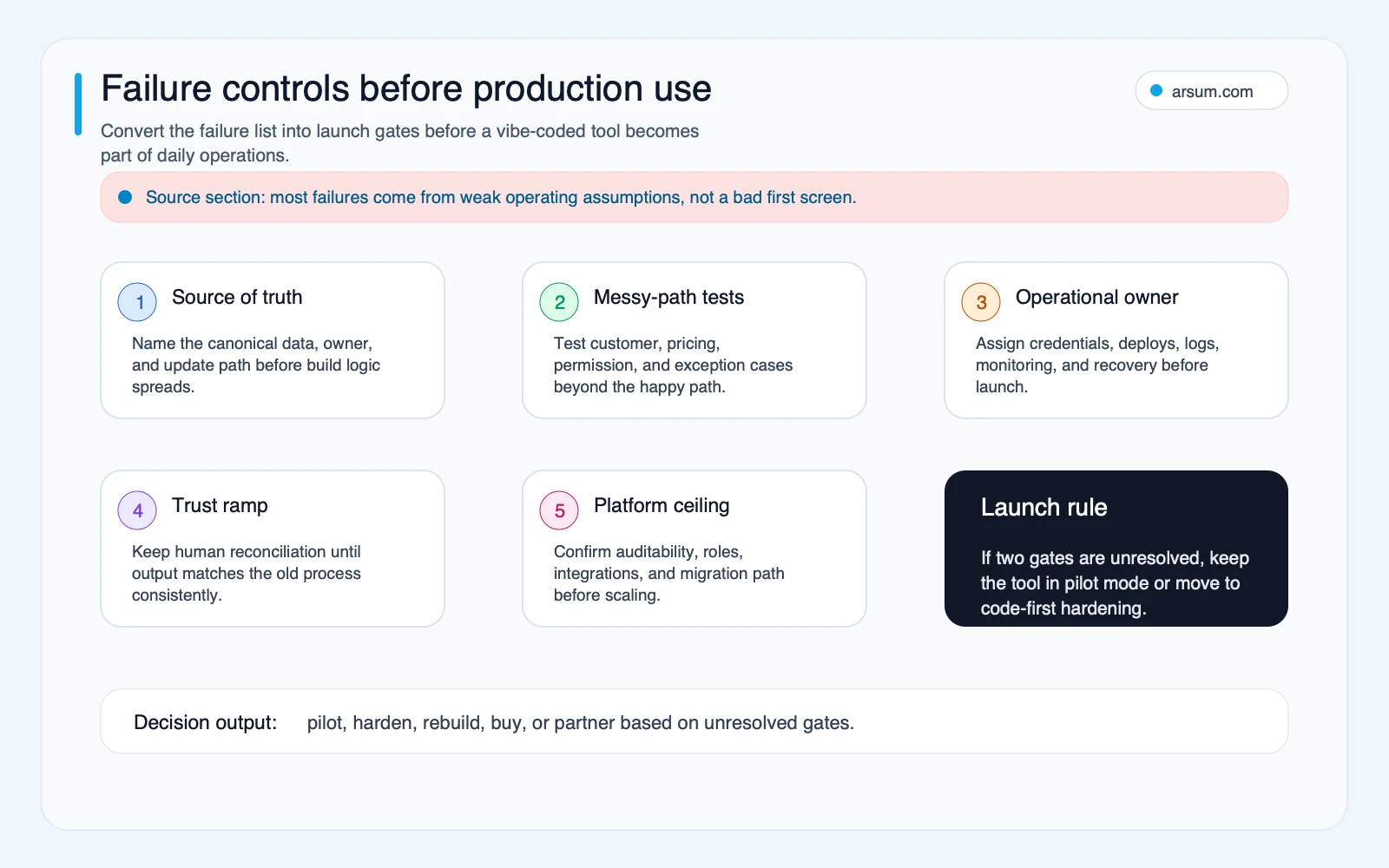
A good first screen is not evidence that the workflow is safe. Watch for these disqualifying conditions:
- No accountable owner for generated code, prompts, credentials, or deployment.
- No way to identify the source data behind a result.
- A workflow that can change billing, customer access, pricing, compliance status, or an approval outcome without a human authorization point.
- Testing limited to the happy path.
- No ability to inspect changes, preserve an audit trail, or recover the previous workflow.
- Integrations that require permissions the pilot has not explicitly scoped.
- A team that cannot support the tool’s review burden after the initial builder loses interest.
- Vendor lock-in, exportability, data handling, or usage economics that have not been checked against the intended deployment.
These are not reasons to avoid vibe coding. They are reasons to keep autonomy proportional to reversibility and failure cost.
Hybrid Workflows Often Beat a Single-Tool Choice
The research pack’s practitioner material is qualitative, but it points to a useful pattern: teams split work by bottleneck.
A nontechnical MVP route might use a browser builder to clarify the user journey, then move the validated requirements into a code-owned implementation once sensitive data, payments, or operational dependency appear.
A technical founder route might use v0 for interface drafts, Cursor for code ownership and implementation, and Claude Code for tightly scoped multi-file tasks under review.
An internal-tool route might use a browser environment to prove that the workflow is worth changing, then retain only the validated process and rebuild or harden the critical integration path in a controlled repository.
That division of labor is often better than asking one product to be simultaneously a design tool, app builder, code editor, deployment system, security program, and operations team.
Community Signals: Useful Questions, Not Market Proof
The following sources informed the workflow-language layer of this comparison. They are public discussion signals, not representative surveys, vendor benchmarks, or proof of product outcomes.
| Source | Decision value |
|---|---|
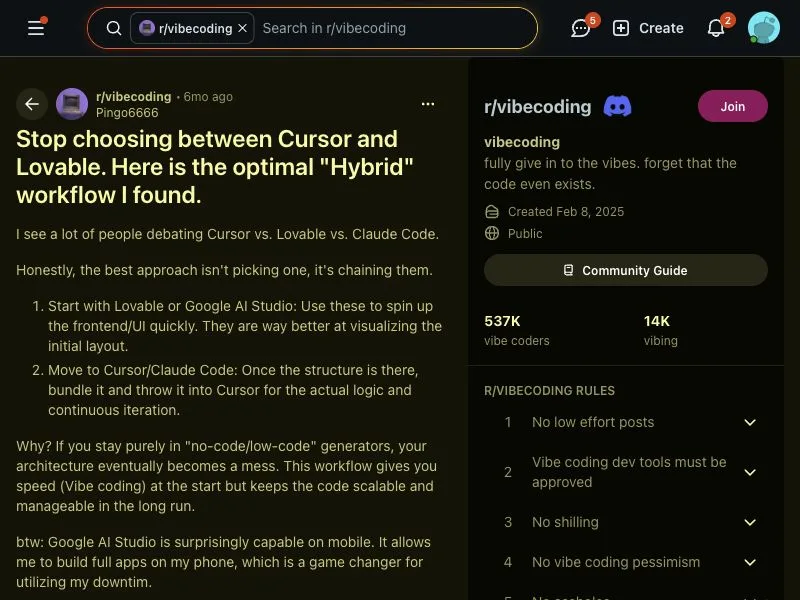
| Reddit discussion on combining Lovable, Claude, v0, and Cursor | Supports evaluating hybrid workflows by stage. |
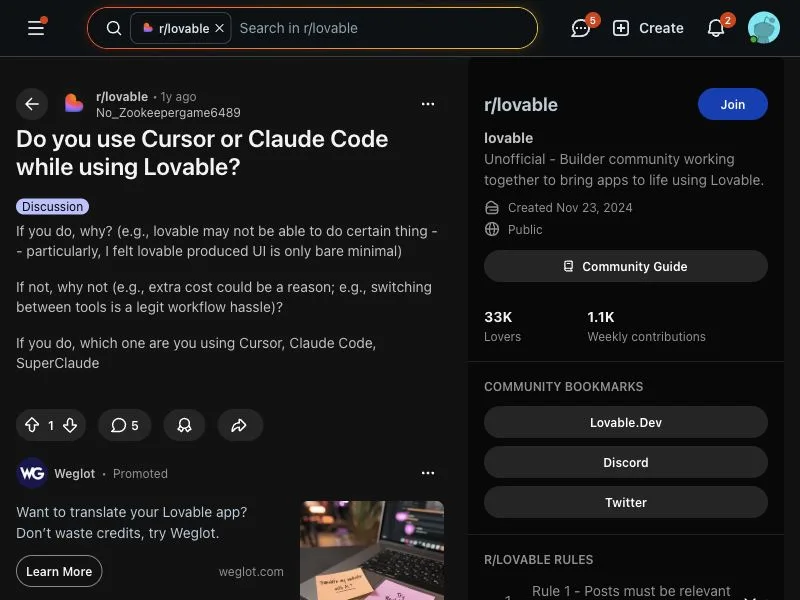
| Reddit discussion on using Cursor or Claude Code with Lovable | Raises handoff and debugging questions once an app becomes more complex. |
| Reddit discussion on choosing Cursor and Lovable | Illustrates practical shortlisting language. |
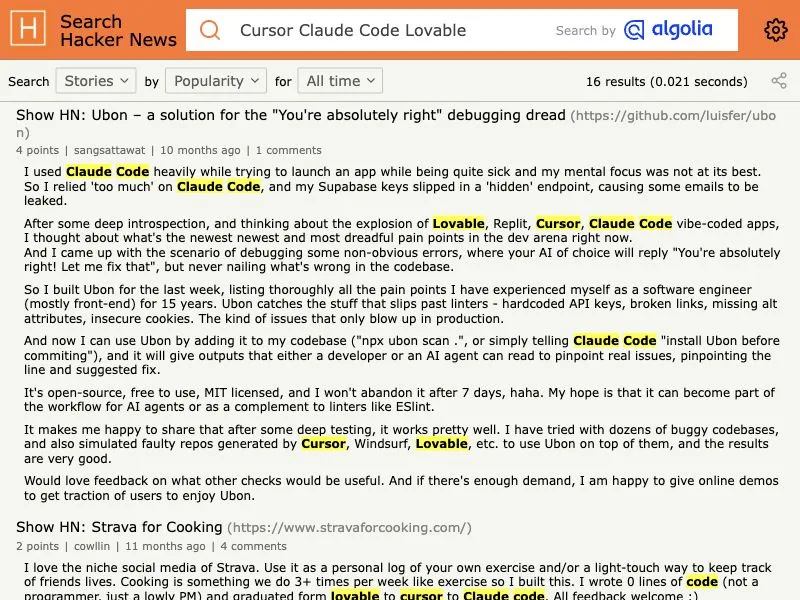
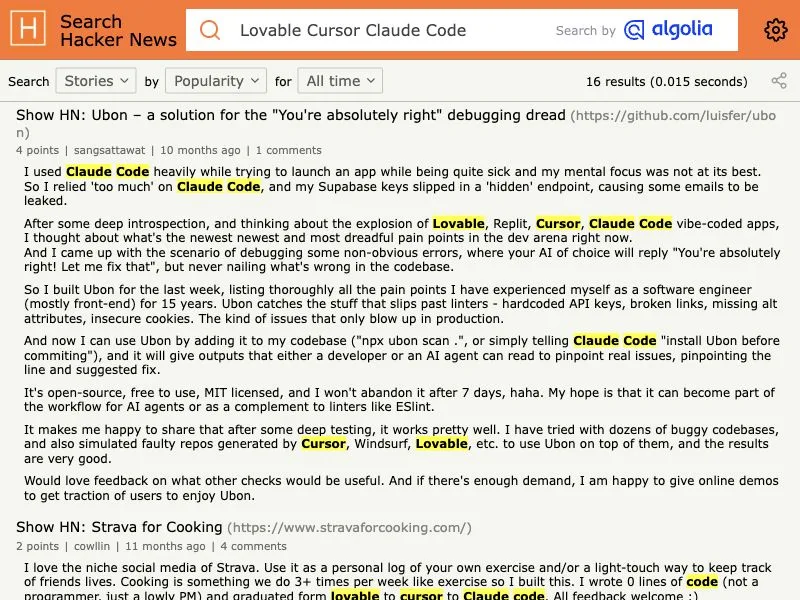
| Hacker News search for Cursor, Claude Code, and Lovable | Discovery context for named-tool discussions. |
Bottom Line
The best vibe coding tools are the ones that fit the next operational constraint, not the most impressive demo. Use Lovable, Replit, or v0 to reduce uncertainty when discovery and interface momentum matter most. Use Cursor or Claude Code when a technical team must own, test, change, and support the output. Combine them when each stage has a different bottleneck.
Before committing budget, run the pilot worksheet with real exceptions, named owners, approval controls, source lineage, a rollback path, and a 30-day go/no-go threshold. If the workflow is important enough to keep, it is important enough to operate deliberately.
For the foundational definition and business boundary, read what vibe coding is. For a production-oriented implementation conversation, AI implementation services can help turn a validated workflow into an owned system.
Ready to Automate Your Business?
Stop wasting time on repetitive tasks. Let AI handle the busywork while you focus on growth.
Schedule a Free Strategy Call →Written by:Arsum editorial team
- Reviewed by
- Arsum editorial team
- Published
- April 2, 2026
- Updated
- July 7, 2026
- How this was produced
- Arsum uses research packs, source checks, and human editorial review to prepare and update blog articles. Editors are responsible for the final page.
- Source policy
- Sources are linked in the article when used. Methodology and source notes are included on higher-risk or high-visibility pages and are being rolled out across the archive. Editorial policy.
- Why this page exists
- Help B2B operators evaluate AI automation, implementation scope, cost, risk, and build-vs-buy decisions with practical context.